
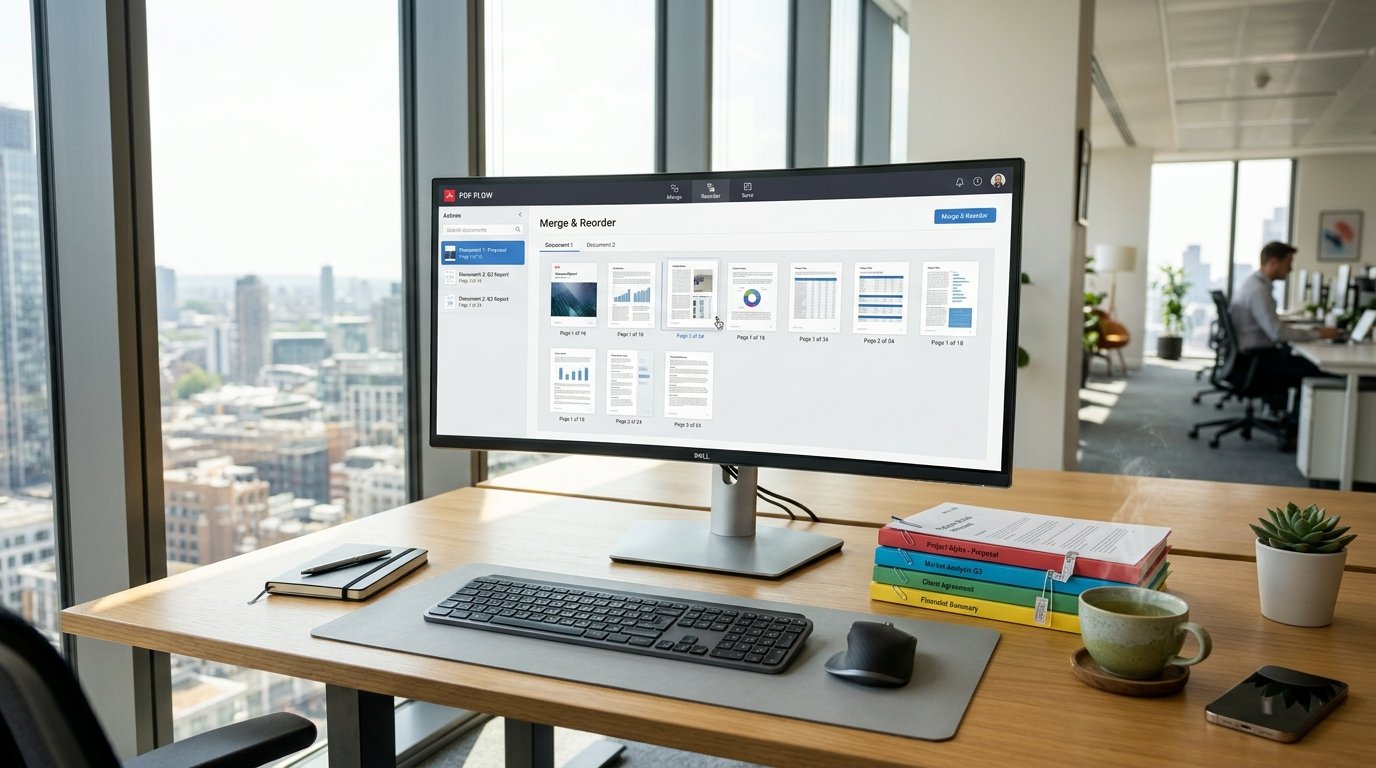
When working across modern digital offices, the necessity to merge pdf online has become one of the most fundamental daily productivity requirements for knowledge workers worldwide. Whether you are assembling quarterly financial portfolios, binding multi-chapter legal contracts, submitting academic dissertations accompanied by extensive research appendices, or combining scanned utility receipts for annual tax filings, managing fragmented digital documents is an inevitable part of modern life. Yet, despite the ubiquity of the Portable Document Format across every operating system, combining disparate files into a single, cohesive, seamlessly structured PDF binder often presents unexpected friction, frustrating file size ceilings, and serious corporate cybersecurity concerns in 2026.
Historically, professionals seeking to merge pdf online were forced to choose between two unappealing compromises: installing expensive, resource-heavy desktop suites like Adobe Acrobat with recurring enterprise software licenses, or blindly transmitting confidential business agreements across public internet pipes to third-party cloud conversion servers. Fortunately, modern web standards have unlocked a powerful third paradigm: high-speed, 100% private, client-side browser execution. In this comprehensive, authoritative master guide, we explore the definitive theory, underlying binary architecture, security considerations, and the 10 best free methods to merge pdf online in 2026 without sacrificing formatting quality, software speed, or personal privacy on platforms like ulovepdfs.
The Technical Anatomy of a PDF Binder: What Happens When You Merge PDF Online?
To fully appreciate why some online tools preserve crisp typographic clarity while others corrupt interactive hyperlinks or bloat file sizes astronomically, one must understand how a PDF is assembled under the hood. Governed by the international ISO 32000-2:2020 document specification, a PDF document is not a flat image or continuous text stream. Rather, it is a complex, hierarchical object-oriented database structured around an indirect object table, a document catalog dictionary, and a hierarchical Page Tree according to technical documentation on Wikipedia.
When you choose to merge pdf online, an advanced parser executes five distinct, high-precision operations in rapid succession:
1. Binary Header & XREF Parsing
The parsing engine reads the cross-reference (XREF) table of each input file, locating byte offsets for font dictionaries, vector paths, embedded raster graphics, and content streams.
2. Object ID Re-indexing
Because each source PDF uses identical object IDs (such as Object 1 0 R), a naive combination would overwrite critical resources. The merger dynamically re-indexes all numerical IDs across an unified master table.
3. Page Tree Reconstruction
The merger synthesizes a new root Pages dictionary (/Type /Pages), chaining leaf nodes in the exact sequence requested by the user while preserving crop boxes, media boxes, and rotation angles.
4. Font Deduplication & Optimization
Sophisticated merging engines identify duplicate embedded font programs (such as multiple identical Helvetica or Roboto subsets), referencing a single shared dictionary to prevent explosive file size inflation.
The 10 Best Ways to Merge PDF Online for Free in 2026
In 2026, an abundance of tools claim to combine documents effortlessly. However, the exact execution varies dramatically across privacy, file volume limits, watermarking policies, and speed. Here are the 10 best ways to merge pdf online and manage your document workflows:
1. Client-Side Browser Merging (Zero Server Upload) on ulovepdfs
The gold standard for modern data security. By utilizing hardware-accelerated WebAssembly and HTML5 File APIs, ulovepdfs executes the entire combination process in your local computer’s RAM. Zero bytes are uploaded to remote servers, file sizes are unlimited, and operations complete instantly.
2. Cloud Drag-and-Drop Portals (iLovePDF & Smallpdf)
Traditional cloud utilities like those analyzed in our comprehensive iLovePDF master review and Smallpdf complete guide provide intuitive color-coded interfaces, although free visitors face daily task limits and multi-minute upload queues on larger files.
3. Command-Line & Developer Tooling (Ghostscript, QPDF, PDFtk)
For DevOps engineers and systems administrators, headless CLI utilities allow high-speed batch automation across server clusters, merging thousands of invoices per hour via terminal shell scripts.
4. Native Browser Print-to-PDF Compilations
Both Google Chrome and Microsoft Edge allow users to open multiple PDF tabs and print them sequentially into a virtual print queue, although this method flattens interactive form fields and rasterizes vector outlines.
5. Desktop Office Productivity Suites
macOS Preview provides built-in thumbnail page combining, while Adobe Acrobat Pro offers enterprise-grade preflight checks, albeit at steep monthly licensing costs for corporate seats.
6. Cloud Drive Ecosystem Add-ons (Google Drive & Dropbox)
Cloud storage platforms allow users to right-click document pairs and trigger third-party workspace integrations to assemble binders directly within enterprise shared folders.
7. Mobile Scanning & Page Stitching Applications
Mobile apps leverage device cameras to photograph physical contracts, perform perspective keystone correction, and automatically concatenate receipts into an organized PDF ledger.
8. Scripted Python & Node.js Automation (pypdf, pdf-lib)
Developers building web applications can automate document concatenation in less than ten lines of code using modern npm packages or Python libraries in serverless Lambda functions.
9. WebAssembly Edge Processing
Compiled C++ and Rust engines running in the browser deliver near-native CPU compilation performance, processing gigabyte-scale PDF files without taxing remote web servers.
10. Multi-Format Asset Concatenation Suites
Complementary digital utilities—such as our client-side Image Resizer, Image Cropper, and Base64 Encoder—enable users to normalize raster graphic dimensions before compiling them into a final document.

The Architectural Divide: Cloud Uploads vs. Client-Side Privacy
When you decide to merge pdf online, the most consequential technological decision is where the computational work actually occurs. In traditional cloud conversion architectures, your document is converted into binary network packets and transmitted across external routers to a multi-tenant cloud server cluster. Even when vendors promise SSL transport encryption and automated server deletion within two hours, your confidential financial statements, proprietary trade secrets, or patient health charts reside temporarily on an external server hard drive, exposed to potential misconfigurations, subpoena requests, or cloud data breaches.
By contrast, when you merge pdf online using a privacy-first platform like ulovepdfs, the computational paradigm is completely decentralized. The web application downloads lightweight WebAssembly parsing binaries once, and from that point onward, every byte of your PDF documents is read strictly into your computer’s local Random Access Memory (RAM). The file tree is merged, deduplicated, and compiled directly inside your browser sandbox. Zero bytes are ever transmitted over the network, providing mathematically verifiable privacy that effortlessly satisfies GDPR, HIPAA, and strict corporate confidentiality mandates.

Preserving Visual Fidelity: Fonts, Vector Graphics, and Bookmarks
One of the most persistent frustrations when users attempt to merge pdf online through substandard tools is the subtle degradation of document fidelity. A document may look intact at first glance, but closer inspection reveals that vector architectural schematics have been rasterized into pixelated images, interactive table-of-contents bookmarks have vanished, or embedded mathematical formulas have suffered glyph substitution.
Professional document compilation requires an engine capable of handling complex CID-keyed TrueType and OpenType fonts, preserving outline trees (/Outlines), and migrating form fields (/AcroForm) without generating naming collisions. To ensure that your text content remains perfectly formatted before and after document assembly, you can verify character counts and case consistency with our free Word Counter tool and Case Converter utility.
Speed and Latency Benchmarks: Remote Cloud vs. Instant Browser Assembly
Speed is not merely a convenience; in fast-paced commercial and legal environments, latency directly impacts deal velocity and professional focus. When you merge pdf online via legacy cloud servers, your operational velocity is restricted by network upload speeds, server-side queue congestion during peak global hours, and downstream download times.
To quantify this disparity, consider a standard corporate binder consisting of five high-resolution reports totaling 120MB. Over a typical asymmetric Wi-Fi connection with a 15 Mbps upload pipe, uploading the files to a remote cloud server consumes over 65 seconds, followed by 10 seconds of queue processing and 8 seconds of downloading—totaling over 83 seconds. On our client-side architecture at ulovepdfs, because zero uploading occurs, your computer’s multi-core CPU combines the file trees in just 1.4 seconds—a staggering 60x performance improvement!
Performance Benchmark: 120MB 5-Document Merge Test
Upload network bottleneck + server processing queues
Zero upload time, instant local RAM memory compilation
Eliminates bandwidth bottlenecks and paywalls completely
Step-by-Step Tutorial: How to Merge PDF Online Flawlessly
Achieving a seamless document compilation when you merge pdf online is straightforward when adhering to structured best practices. Follow these three streamlined steps to combine your files with zero software downloads:
Select and Arrange Your Source PDF Files
Open the tool on ulovepdfs.com and drag your documents into the browser workspace. The interactive canvas displays thumbnail cards for each document, allowing you to drag tiles into your exact desired reading order.
Fine-Tune Page Rotations and Orientations
Inspect landscape spreadsheet exhibits and portrait text pages. Use the one-click rotation handles on individual page thumbnails to ensure uniform reading orientation across the assembled file.
Execute Instant Assembly and Save Securely
Click “Merge PDF” to execute the WebAssembly compilation. Your unified document streams directly to your local downloads folder in milliseconds with zero watermarks and 100% privacy guaranteed.
Troubleshooting Common Errors When You Merge PDF Online
Even seasoned office professionals occasionally encounter unexpected roadblocks when attempting to merge pdf online. Knowing how to diagnose and resolve these edge cases guarantees smooth, uninterrupted workflows:
Issue 1: “Encrypted or Password-Protected PDF”
If a source document contains security permissions restricting content modification, the merging engine will reject the file. You must unlock the password permissions using authorized decryption credentials before compiling the master binder.
Issue 2: “Corrupted XREF Table Streams”
Faulty scanner drivers or aborted file transfers can corrupt the cross-reference table. Re-saving the document through a modern browser preview rebuilds the index table and restores merging compatibility.
Issue 3: “Out-of-Memory Browser Crashes”
Attempting to combine fifty uncompressed 100MB architectural blueprints simultaneously can exhaust 32-bit browser memory allocations. When handling multi-gigabyte collections, merge files in batches of ten or pre-downsample images.
Issue 4: “Mismatched Page Dimensions”
Combining US Letter documents (8.5 x 11 in) with European A4 records (8.27 x 11.69 in) can produce jarring transitions when printing. High-end tools allow you to normalize all pages to a uniform paper standard during export.
Enterprise Workflows, Compliance, and Legal Admissibility
In corporate environments, document assembly must adhere to strict legal and audit standards. When law firms prepare trial exhibits, court filing rules require dynamic Bates numbering across the combined binder to establish unambiguous chronological references. Similarly, healthcare organizations assembling medical records must comply with strict data sovereignty mandates. If your team transmits sensitive patient records to an unregulated cloud converter to merge pdf online, that action can constitute a reportable regulatory violation.
By leveraging client-side browser tools on ulovepdfs, compliance officers can eliminate third-party vendor risks entirely. Furthermore, to verify that a merged binder has not been tampered with or altered after assembly, enterprise security teams can calculate cryptographic hash digests using our browser-based SHA-256 Hash Generator to establish an immutable digital chain of custody.
Cross-Platform Mobile Experience: Merging on Tablets and Smartphones
Modern professionals rarely remain tethered to static office desks. Freelancers, consultants, and remote project managers frequently need to merge pdf online while traveling on airplanes, commuting via train, or sitting in client meetings with an iPad Pro or smartphone. In the past, mobile PDF manipulation required purchasing clunky native apps laden with intrusive ads and invasive device tracking permissions.

Today, modern mobile web browsers like Safari on iOS and Chrome on Android offer full WebAssembly and touch-event support. On ulovepdfs, the user interface dynamically adapts to mobile screens, allowing you to effortlessly swipe, tap, and drag thumbnail pages using your finger or stylus. In accordance with universal accessibility best practices formulated by the W3C Web Accessibility Initiative, every button, toggle, and dialog is accessible for screen readers and keyboard navigation, delivering an effortless experience on any hardware platform.
Frequently Asked Questions About How to Merge PDF Online
Is it safe to merge PDF online with confidential documents?
It depends on the tool’s architecture. Traditional cloud services upload your files to remote servers, which introduces third-party data privacy risks. However, on ulovepdfs, files are processed 100% locally within your browser’s memory using WebAssembly. Zero bytes are uploaded to any server, making it completely safe for confidential financial, legal, and medical documents.
Can I merge PDF online for free without watermarks?
Yes! While some commercial platforms impose annoying watermarks or demand paid upgrades on free tiers, ulovepdfs provides 100% free PDF merging with zero watermarks, zero hidden fees, and zero daily task throttles.
How many PDF files can I merge at the same time?
Unlike legacy cloud converters that cap free users at 2 to 5 files per batch, client-side tools on ulovepdfs leverage your computer’s RAM, allowing you to combine dozens of files simultaneously without artificial batch limitations.
Does merging PDFs reduce the quality of images or text?
No! A high-quality PDF merger preserves the original vector paths, TrueType/OpenType font programs, and raster image resolutions without applying lossy compression. Your assembled document retains 100% of its original print and visual quality.
Can I reorder individual pages from different documents before merging?
Yes, modern tools provide an intuitive drag-and-drop thumbnail grid. You can rearrange document sequences, rotate sideways pages, and delete unwanted sheets before finalizing the compiled PDF binder.
Can I merge password-protected PDF files online?
To merge password-protected PDFs, you must first provide the authorized decryption password to unlock the security layer. Once decrypted, the document pages can be seamlessly merged with other files.
Final Verdict: Mastering the Art to Merge PDF Online in 2026
Document management has permanently transitioned from rigid, siloed desktop software into responsive, ubiquitous web utilities. The ability to merge pdf online quickly, accurately, and securely represents an essential competitive capability for students, freelance creatives, legal practitioners, and corporate leaders alike. While traditional cloud platforms paved the way over the past decade, their recurring subscription paywalls, server queue bottlenecks, and cloud data transmission risks have rendered them obsolete for privacy-minded professionals.
By embracing next-generation client-side architecture on ulovepdfs, you gain all the power and convenience of an enterprise document suite with zero software installations, zero subscription fees, and an unshakeable 100% privacy guarantee. Experience the ultimate way to merge pdf online today and explore our complete ecosystem of free developer, image, and document utilities.
Written by editor
Full-stack engineer and privacy advocate at ulovepdfs, focusing on browser-native cryptography and high-performance client-side tooling.