

Ever since its founding over a decade ago, ilovepdf has established itself as one of the world’s most ubiquitous and widely utilized online document processing platforms. From university lecture halls and bustling accounting firms to remote design studios and legal chambers, tens of millions of people rely on ilovepdf every month to merge lecture slides, compress bulky email attachments, split multi-chapter contracts, and convert complex spreadsheets into universally readable formats. The platform played an undeniable role in democratizing digital document management, helping everyday users bypass the exorbitant license fees and steep learning curves traditionally associated with expensive enterprise software like Adobe Acrobat.
However, as digital workspaces mature and document workflows evolve in 2026, understanding the full capabilities, structural limitations, security implications, and pricing models of ilovepdf is essential for optimizing your personal and enterprise productivity. Whether you are seeking to master advanced features such as Optical Character Recognition (OCR) and digital signatures, or evaluating how traditional cloud services compare to zero-upload private alternatives like our own free utilities on ulovepdfs, this definitive guide delivers an exhaustive, in-depth review of everything you need to know about ilovepdf.
What is iLovePDF and How Did It Evolve?
Created in 2010 in Barcelona by a team passionate about simplifying web tasks, ilovepdf began with a deceptively simple premise: allow any person with a web browser to combine two PDF files together without installing bulky desktop software. At that time, most office workers were shackled to proprietary PDF editors that required expensive individual licenses, system administrator installation rights, and substantial computer memory. The original launch of ilovepdf focused strictly on two core utilities: merging multiple documents and splitting single documents into individual pages.
The success of the platform was instantaneous. As word spread across universities, design agencies, and remote offices, the development team expanded ilovepdf to encompass a vast array of document transformations. Today, the platform adheres strictly to the official international ISO 32000-2:2020 document specification, offering over twenty-five specialized tools that handle everything from raster conversion and PDF repair to digital watermark branding and certified cryptographic signatures according to historical summaries on Wikipedia.
🌐 Global Accessibility
Translated into over twenty-five international languages, ilovepdf serves millions of daily active users spanning every continent, supporting standard web, desktop, and mobile operating systems.
📑 25+ Specialized Tools
The platform covers virtually every document need: merging, splitting, compressing, converting to Microsoft Office formats, rotating, watermarking, signing, and unlocking password-protected files.
🔄 Multi-Channel Ecosystem
Beyond its browser interface, ilovepdf provides native Windows and macOS desktop applications, mobile iOS and Android apps, and a comprehensive REST API for enterprise developers.
☁️ Cloud Server Foundation
The core processing engine relies on centralized cloud infrastructure, ingesting user uploads to execute transformations before returning generated output files.
The 10 Best Features and Tools of iLovePDF in 2026
While the service encompasses dozens of niche utilities, ten flagship tools form the bedrock of the ilovepdf experience. Understanding what each feature accomplishes—and how it behaves under production conditions—allows power users to maximize efficiency:
1. PDF Merge & Page Sequencing
The flagship utility of ilovepdf allows you to combine multiple PDF documents into a single unified binder. You can drag and drop dozens of individual files, visually reorder their sequence via interactive thumbnail previews, and generate a cohesive final report in seconds.
2. PDF Split & Range Extraction
Whether you need to extract specific page ranges (such as pages 12 through 18) or shatter a massive 500-page catalog into separate single-page documents, the split utility in ilovepdf provides precise boundary controls.
3. PDF Compression & DPI Downsampling
Email gateways frequently reject attachments exceeding 25MB. The compression engine in ilovepdf strips non-essential metadata and resamples high-resolution photography to shrink file footprints by up to 70% while preserving legible typography.
4. PDF to Microsoft Office Conversions
Transforming static documents back into editable Word documents (.docx), Excel financial workbooks (.xlsx), and PowerPoint slide decks (.pptx) is a standout feature of ilovepdf, leveraging cloud heuristics to rebuild layout tables and paragraphs.
5. Optical Character Recognition (OCR)
When scanning physical paper invoices or historical manuscripts, text is trapped inside raster images. The OCR module of ilovepdf recognizes glyphs across dozens of languages, converting static image scans into searchable, selectable text.
6. PDF to JPG & Graphic Rasterization
Extract every embedded photographic asset from a document or render each PDF page into a high-fidelity standalone JPEG image for web publishing or social media previews.
7. Protect & Unlock Cryptographic Passwords
Encrypt vulnerable payroll documents with robust AES-256 passwords, or strip security locks from authorized files when you need to enable printing and copying privileges.
8. Watermarking & Dynamic Page Numbering
Protect intellectual property by overlaying customized semi-transparent text or image watermarks across every page, or stamp dynamic Bates numbering for court filings.
9. Electronic Signatures (e-Sign)
Collect digital signatures from distributed team members or sign business proposals yourself using touch stylus drawing, typed signatures, or verified digital certificates.
10. Document Redaction & Page Deletion
Permanently black out sensitive Social Security numbers, confidential pricing figures, or private addresses, ensuring confidential data cannot be recovered by forensic tools.

How iLovePDF Processes Documents Behind the Scenes
To evaluate whether ilovepdf fits your organization’s workflow, one must examine its technical architecture. When you select a document on the website, your local device establishes an encrypted HTTPS connection to the platform’s cloud server infrastructure. The file is uploaded over your internet connection and stored on temporary cloud storage volumes.
Once stored in the cloud cluster, specialized server-side binaries (frequently built on modified open-source libraries such as Ghostscript, Poppler, and QPDF) parse the PDF object tree. After executing the designated transformation—such as stripping unreferenced XObject images or merging page dictionaries—the server writes the resulting PDF to a secure output cache. A unique download URL is generated, and your browser retrieves the finished file over the web.
According to the official data retention policies of ilovepdf, uploaded files are held on their European cloud infrastructure for approximately two hours to accommodate slow user downloads, after which an automated cron task triggers irreversible cryptographic deletion. While this workflow is convenient, it inherently requires trusting a remote third-party cloud infrastructure with your sensitive intellectual property.
Security and Data Privacy Analysis: Is iLovePDF Safe?
One of the most frequently asked questions surrounding ilovepdf is whether the platform is safe for confidential commercial, legal, and financial files. To answer this accurately, one must differentiate between transport security and corporate data exposure risk:
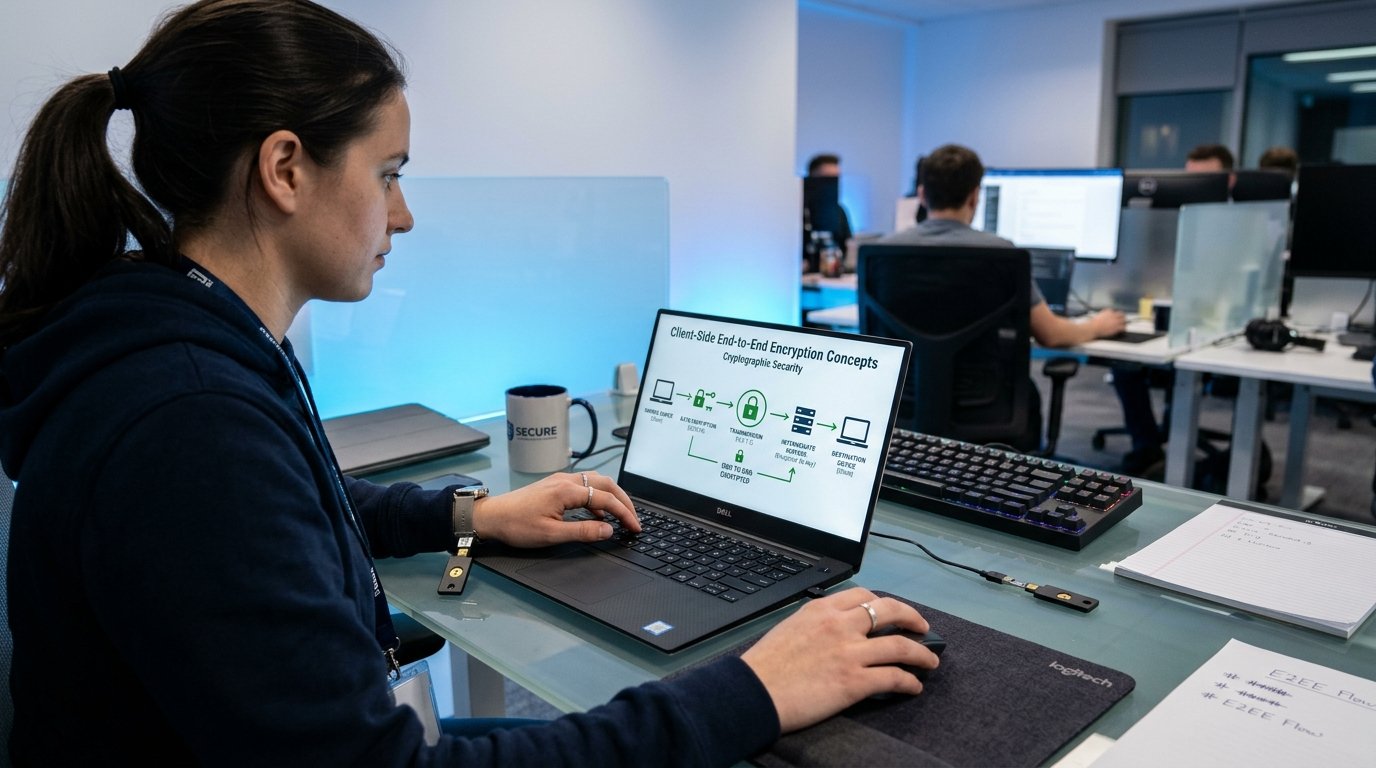
From an infrastructural perspective, ilovepdf complies with European Union General Data Protection Regulation (GDPR) mandates and holds ISO/IEC 27001 information security certification. Communication channels are protected using TLS 1.3 encryption, ensuring that eavesdroppers on public Wi-Fi networks cannot intercept files in transit. Furthermore, the platform explicitly states that it does not inspect, read, or sell the textual content of user uploads.
However, for enterprise legal teams and healthcare providers governed by HIPAA, the mere act of uploading unredacted patient charts or trade secrets to any multi-tenant cloud platform introduces unavoidable compliance exposure. Subpoenas, cloud provider misconfigurations, or zero-day vulnerabilities in server-side parsing libraries represent lingering attack surfaces. For these sensitive use cases, zero-upload client-side alternatives such as ulovepdfs provide a mathematically superior guarantee by ensuring documents never touch external servers.
Speed and File Size Limits: Free vs. Premium Tiers
While ilovepdf advertises itself as a free service, casual users quickly collide with the structural boundaries of its commercial freemium model. Operating large server clusters capable of processing millions of daily files requires immense computational bandwidth, prompting the platform to restrict free usage:
iLovePDF Free Tier vs. Premium Subscription Overview
Limited to 1 to 2 files per batch, queue throttling during peak hours, and basic compression options.
Expands file sizes up to 1GB to 4GB, batch processing up to 100 files, OCR access, and desktop app integration.
Dedicated hardware instances, custom API rate limits, centralized user billing, and account managers.
For independent professionals handling occasional documents, the free limits of ilovepdf are manageable. But when a creative team needs to compress a 300MB high-resolution architectural presentation or batch-convert hundreds of client invoices, hitting an unexpected paywall creates operational gridlock.
The Rise of Client-Side Alternatives: ulovepdfs Zero-Upload Approach
The limitations of traditional cloud models have paved the way for the next generational leap in web utilities: client-side processing. Rather than sending files across the internet to be parsed by centralized servers, platforms like our own website ulovepdfs execute operations directly inside the user’s web browser using modern WebAssembly and JavaScript engines.

This decentralized approach yields profound operational advantages over ilovepdf. Because your computer’s own processor and memory perform the calculations, there are zero network upload delays, zero server queue bottlenecks, and zero artificial file size caps. Furthermore, our free suite at ulovepdfs extends far beyond standard PDF manipulation to include high-speed tools like the Image Resizer, Image Cropper, Base64 Encoder, SHA-256 Hash Generator, JSON Formatter, and Word Counter.
Step-by-Step Tutorial: How to Execute Key Tasks in iLovePDF
For users looking to execute common document tasks efficiently in ilovepdf, here is a concise walkthrough of the primary workflows:
How to Merge Multiple PDFs
Navigate to the Merge PDF tool on ilovepdf. Drag your target files into the upload zone or import directly from Google Drive or Dropbox. Hover over the thumbnail tiles to reorder pages alphabetically or chronologically, then click “Merge PDF” to generate and download your unified file.
How to Compress Bulky Documents
Select the Compress PDF tool and upload your oversized document. Choose from Extreme Compression (lowest quality, maximum space savings), Recommended Compression (balanced quality and size), or Less Compression. Click “Compress PDF” to retrieve your optimized document.
How to Convert PDF to Editable Word
Select PDF to Word and upload your document. If your file contains scanned image text, activate the OCR engine (available for premium accounts) to extract editable typography. Click “Convert to Word” and open the generated .docx file directly in Microsoft Word or Google Docs.
Common Troubleshooting and Error Resolution in iLovePDF
While ilovepdf is engineered for frictionless self-service document operations, users frequently encounter operational bottlenecks or cryptic error dialogs when handling complex, malformed, or oversized documents. Understanding the underlying causes of these issues empowers you to troubleshoot failures rapidly:
Issue 1: “File Exceeds Allowed Size Limit”
Free users on ilovepdf are capped at 100MB per file. If your high-resolution scan or architectural drawing exceeds this threshold, pre-compress the images locally or utilize zero-limit client-side utilities on ulovepdfs to handle the file directly in system RAM without upload quotas.
Issue 2: “PDF Structure Damaged or Corrupt”
When a PDF download was interrupted or created with faulty print drivers, cloud parsers may reject the file header. Run the file through the Repair PDF tool in ilovepdf to rebuild the cross-reference table and re-index damaged object streams.
Issue 3: “Font Glyphs Missing After Conversion”
Converting PDF to Word occasionally substitutes custom typography with fallback fonts like Arial or Times New Roman. This happens when the original author failed to embed font subsets. To prevent text reflow, convert the PDF pages into high-resolution images first.
Issue 4: “OCR Misidentifies Accents or Symbols”
If the OCR scanner outputs garbled punctuation or skips foreign characters, ensure you manually select the primary document language in the tool dropdown before uploading, rather than relying on automatic language detection.
Developer API and Enterprise Workflow Automation
For engineering teams, SaaS platforms, and enterprise system architects, manually uploading files through a browser interface is impractical for high-volume automated operations. To bridge this gap, ilovepdf provides an enterprise-grade REST API and software development kits (SDKs) across Node.js, PHP, Python, Java, and .NET. Developers can programmatically execute batch operations, such as watermarking invoices during automated nightly billing runs or converting incoming vendor proposals to standardized PDF/A long-term archiving standards.
Integrating the ilovepdf API requires creating an API key, configuring authenticated webhook endpoints, and managing processing credits. Each task consumes server credits based on file size and tool complexity (for instance, OCR recognition and complex Office conversions consume more credits than basic merging). For enterprise teams handling millions of documents each month, these recurring API costs can accumulate quickly, driving many engineering departments to evaluate hybrid architectures that leverage local WebAssembly engines for routine client tasks alongside cloud APIs for heavy OCR batches.
Cross-Platform Access: Web, Desktop, and Mobile Apps
Modern professionals rarely remain stationary. A major strength of ilovepdf is its cross-platform availability. Beyond the standard web interface, the company maintains native desktop applications for Windows 10/11 and macOS, allowing users to process files with reduced browser overhead.

For mobile users, ilovepdf provides dedicated iOS and Android applications equipped with mobile document scanner features. Using your smartphone camera, you can photograph paper receipts, apply edge-detection filters, and assemble multi-page PDF documents on the go. Furthermore, the web interfaces adhere to accessibility best practices formulated by the W3C Web Accessibility Initiative, ensuring compliance for keyboard navigation and screen-reading devices.

Frequently Asked Questions About iLovePDF
Is iLovePDF completely free to use?
iLovePDF operates on a freemium model. Basic tasks are free, but they come with strict limitations: a 100MB file size ceiling, limits on the number of files processed per batch, and throttled queue speeds during peak usage. Removing these limits requires a paid monthly or annual subscription.
Does iLovePDF store or save my uploaded documents?
According to its privacy policy, ilovepdf encrypts files in transit and automatically deletes all uploaded documents from its servers within two hours of processing. However, because files are temporarily held on remote cloud servers, highly confidential files may still present corporate compliance risks.
Can I use iLovePDF offline without an internet connection?
The standard web version of ilovepdf requires an active internet connection to upload files to cloud servers. To process files offline, users must install the paid iLovePDF Desktop application for Windows or macOS.
How does Optical Character Recognition (OCR) work on iLovePDF?
The OCR tool in ilovepdf scans raster images within PDF files to identify characters and words. It rebuilds the text layer into an editable Word document or searchable PDF. Note that full multi-language OCR is restricted to paid premium subscribers.
What are the best free alternatives to iLovePDF in 2026?
The most prominent alternative is ulovepdfs, which provides 100% private, client-side browser tools where files are never uploaded to remote servers. Other cloud alternatives include Smallpdf and PDF24, though most enforce similar freemium paywalls.
Is iLovePDF compliant with GDPR and enterprise regulations?
Yes, ilovepdf is based in Spain and complies with EU GDPR standards and ISO 27001 data security protocols. However, enterprise organizations handling sensitive patient or legal data often require zero-upload client-side tools to eliminate third-party data processing agreements.
Final Verdict: Is iLovePDF Still the Top Choice in 2026?
More than a decade after its introduction, ilovepdf remains a formidable, highly accessible platform for everyday document management. Its clean user experience, broad tool catalog, and seamless cloud integrations make it a reliable choice for casual users, students, and freelancers who need to combine or compress files quickly without technical overhead.
However, for privacy-minded professionals, high-volume enterprise teams, and developers who demand zero software subscriptions, zero file size caps, and 100% client-side privacy where files never leave the local machine, next-generation platforms like ulovepdfs represent the compelling future of digital productivity. By evaluating your organization’s security posture and file volume requirements, you can choose the ideal document toolset to supercharge your daily workflow in 2026.
Written by editor
Full-stack engineer and privacy advocate at ulovepdfs, focusing on browser-native cryptography and high-performance client-side tooling.