
Table of Contents
- 1. Why Every Creator Needs a Powerful Image Cropper in 2026
- 2. How an In-Browser Image Cropper Works: HTML5 Canvas and Sub-Pixel Math
- 3. Aspect Ratio Geometry: 1:1, 16:9, 4:3, and Freeform Dimensions
- 4. 9 Best Ways to Use an Image Cropper to Perfect Your Photos in 2026
- 5. Photographic Composition: Rule of Thirds vs. Golden Ratio in Crop Framing
- 6. Developer Implementation: Building an HTML5 Canvas Image Cropper in JavaScript
- 7. Lossless PNG vs. High-Efficiency JPEG in Image Cropper Workflows
- 8. Zero-Trust Architecture: Why an In-Browser Image Cropper Protects Your Privacy
- 9. Web Performance & Core Web Vitals: Impact of Proper Cropping on LCP and CLS
- 10. Step-by-Step Operator Guide: How to Crop Images on ulovepdfs
- 11. Comparative Analysis: Online Image Cropper vs. Desktop Software vs. Cloud APIs
- 12. Frequently Asked Questions (FAQ) About Using an Image Cropper
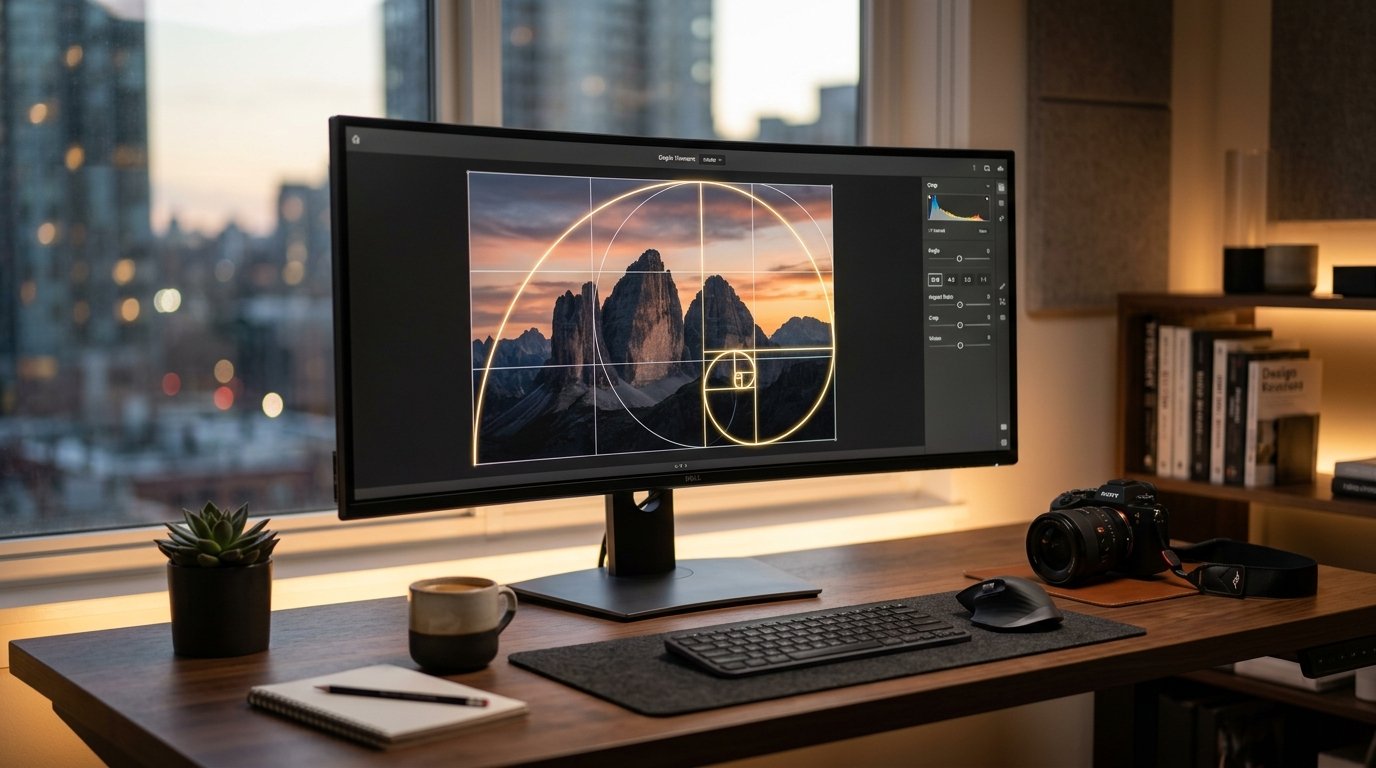
Whether you are preparing a high-converting e-commerce product catalog, framing a corporate executive headshot, designing widescreen presentation banners, or preparing content for omnichannel social media marketing, an image cropper is one of the most foundational visual production tools in modern digital communication. Selecting the right framing, locking strict aspect ratios, and eliminating extraneous peripheral clutter instantly transforms ordinary snapshots into captivating, magazine-grade graphics. With the rise of high-resolution digital cameras and high-DPI displays, having immediate access to a lightning-fast, private, and precise image cropper directly in your web browser has become vital for designers, developers, photographers, and everyday creators in 2026.
Unlike conventional geometric resizing utilities that compress or stretch all pixels across an entire bitmap, an image cropper selectively isolates a defined rectangular region while maintaining 100% of the native pixel density and optical sharpness. To experience seamless in-browser trimming right away, you can use our dedicated, free ulovepdfs Image Cropper. If your workflow requires altering the overall physical file dimensions after framing, you can pair it seamlessly with our companion ulovepdfs Image Resizer or explore our comprehensive Image Resizer Guide on the ulovepdfs Blog.
1. Why Every Creator Needs a Powerful Image Cropper in 2026
In visual storytelling and digital interface design, visual attention is fleeting. Research shows that online users evaluate the aesthetic credibility of a website, social profile, or product advertisement in fewer than 50 milliseconds. Poorly centered subjects, uneven borders, or awkward automated crops by social media algorithms instantly degrade user trust. Employing a dedicated image cropper provides creators with complete creative authority over visual composition, focal points, and mathematical proportion.
Furthermore, modern smartphone sensors produce photos with massive 4:3 or 16:9 resolutions exceeding 48 to 108 megapixels. Uploading such gigantic raw captures directly into blog articles, newsletter headers, or mobile applications wastes precious cellular bandwidth, slows page rendering speeds, and damages Core Web Vitals metrics. By leveraging a high-performance image cropper, operators discard unnecessary megabytes of dead space before publication, boosting website speed and preserving reader engagement.
Beyond pure file efficiency, professional visual branding requires deliberate compositional intentionality. When readers glance at an article card or browse an Instagram carousel, their eyes naturally gravitate toward high-contrast focal points. An uncropped snapshot often buries crucial subjects under expansive ceilings, empty road asphalt, or accidental pedestrians. By applying purposeful boundaries with an image cropper, you eliminate visual distractions and guide the audience directly to your core narrative message.
2. How an In-Browser Image Cropper Works: HTML5 Canvas and Sub-Pixel Math
Historically, image manipulation demanded heavy desktop installations like Adobe Photoshop or required sending private imagery to remote web servers executing slow PHP or Python scripts. Modern web technology has radically rewritten this paradigm. The ulovepdfs image cropper executes 100% of its rendering and pixel extraction locally inside client browser memory using the W3C HTML5 Canvas 2D Context specification.
When you import a graphic into our client-side image cropper, the browser reads the file locally via the FileReader API and renders it onto a virtual canvas element. The crop bounding box is mathematically represented as a 4-dimensional tuple:
Where s_x and s_y specify the top-left source coordinate origin, and s_width and s_height define the exact sub-region dimensions. When the operator triggers the crop command, the browser invokes the hardware-accelerated 9-parameter overload of the native Canvas API:
Because modern operating systems map this canvas call directly to the machine’s Graphics Processing Unit (GPU) via Direct2D, Metal, or WebGL shader pipelines, a high-fidelity image cropper can process an ultra-high-resolution 30-megapixel photo in fewer than 12 milliseconds! Furthermore, bilinear sub-pixel interpolation guarantees that diagonal edges, fine facial features, and delicate typography retain immaculate clarity without aliasing or jagged stair-stepping artifacts.
In mathematical terms, when screen viewport scaling maps mouse coordinates onto underlying image pixels, fractional values inevitably arise. An advanced canvas engine computes weighted color interpolations across the four adjacent pixel centers, preventing rounding errors from introducing fuzzy gray halos or unintended color shifts along the newly established crop perimeters.
3. Aspect Ratio Geometry: 1:1, 16:9, 4:3, and Freeform Dimensions
The aspect ratio represents the fixed proportional relationship between the width and height of an image ($W:H$). When utilizing an image cropper, locking the aspect ratio ensures that adjusting the width dynamically re-computes the proportional height according to rigid geometric constraints:
- 1:1 Square Proportion: In a 1:1 ratio, horizontal and vertical dimensions are strictly identical ($s_{width} = s_{height}$). This proportion is universally required for social media profile avatars, square product listings, app icons, and Instagram grid posts. Using an image cropper with a 1:1 lock guarantees that facial features are centered symmetrically without distortion.
- 16:9 Widescreen Proportion: The international standard for modern digital video (1080p, 4K UHD), presentation slides, Twitter/X summary cards, and YouTube video thumbnails. When our image cropper is configured to 16:9, vertical bounds automatically conform to $s_{height} = ext{round}(s_{width} imes 0.5625)$.
- 4:3 Standard Proportion: Rooted in traditional photography and classical Academy film format, 4:3 remains the native optical sensor format of many smartphone cameras and Micro Four Thirds equipment. It provides balanced vertical breathing room for editorial portraits and landscape photos.
- Freeform (Custom) Dimensioning: In freeform mode, geometric constraints are relaxed, empowering creators to isolate arbitrary rectangular regions, crop panoramic landscape ribbons, or trim narrow interface screenshots with total freedom in their image cropper.
Choosing the appropriate ratio prior to making your crop selection saves valuable production cycles. Rather than adjusting width and height independently and guessing whether the final export will satisfy strict platform upload requirements, locking presets in an intuitive image cropper guarantees immediate compliance on first download.
4. 9 Best Ways to Use an Image Cropper to Perfect Your Photos in 2026
Discover the 9 best ways to leverage a high-speed online image cropper to achieve professional visual outcomes across creative, commercial, and technical projects in 2026:
Way 1: Standardizing E-Commerce Catalog Thumbnails
In online retail, visual consistency directly impacts consumer confidence and conversion rates. When product images exhibit varying shapes, uneven paddings, or misaligned focal depths, store grids appear amateurish. Utilizing an image cropper allows merchants to enforce uniform 1:1 square or 4:3 proportions across hundreds of catalog items, establishing clean visual symmetry that drives purchases on Shopify, WooCommerce, and Amazon.
Way 2: Framing Professional Social Media Avatars (LinkedIn, GitHub, Twitter)
Executive headshots and professional portraits frequently feature wide ambient backgrounds that dilute personal focus. With an image cropper, you can tightly re-frame your portrait from the mid-chest upward, centering your gaze within the circular mask commonly employed by LinkedIn, GitHub, and corporate Slack channels.
Way 3: Composing YouTube and Video Header Banners (16:9)
High-impact video thumbnails require deliberate visual hierarchy to stand out in competitive recommendation feeds. By locking a 16:9 crop preset in our image cropper, video editors isolate dramatic high-contrast expressions, eliminate peripheral dead space, and reserve the bottom-right corner for duration badges without obscuring the core subject.
Way 4: Passport, Visa, and Government ID Photo Compliance
Consular authorities enforce rigorous facial proportion specifications: the applicant’s head must occupy between 50% and 69% of total image height within a strictly square frame. A client-side image cropper enables applicants to take a home photograph against a white wall and frame it with exact dimensional compliance, avoiding costly biometric application rejections.
Way 5: Isolating UI Elements and Software Screenshot Trimming
Technical writers, developers, and product managers often capture full-desktop screenshots when creating software documentation. Full-screen captures display distracting browser tabs, OS taskbars, and confidential notifications. Operating an image cropper allows technical communicators to rapidly isolate the exact button, dialog box, or code block needed, keeping documentation concise and professional.
Way 6: Rule of Thirds Photographic Re-framing
In photographic composition, placing subjects along imaginary vertical and horizontal third-lines creates tension, energy, and interest compared to generic center placement. When a spontaneous snapshot misses ideal framing, an image cropper gives photographers the power to adjust the crop origin and re-align horizon lines, bringing master-level composition to candid shots.
Way 7: Removing Distracting Background Elements Without Warping
Photobombers, stray utility poles, bright reflections, and clutter along image edges draw eyes away from the primary subject. Rather than applying artificial generative blurring or distortion filters, employing an image cropper clean-slices peripheral artifacts away entirely, maintaining pure optical realism and pristine pixel authenticity.
Way 8: Mobile-Responsive Hero Image Adaptation
Modern responsive web development relies on the HTML5 <picture> element to serve tailored imagery across varying viewport widths. A wide 16:9 landscape banner that looks majestic on a 32-inch desktop monitor becomes illegibly tiny when squeezed onto a smartphone screen. Front-end engineers use an image cropper to create dedicated vertical or square crops focused on key focal details for mobile devices.
Way 9: Multi-Format Content Repurposing Across Omnichannel Campaigns
Digital marketers rarely produce single-channel assets. A single creative photoshoot must be distributed across YouTube (16:9), Instagram Feed (1:1), Instagram Stories (9:16), and email newsletter banners (3:1). A high-speed in-browser image cropper allows marketing teams to import the master image once and export tailored crops for every social channel in seconds.
5. Photographic Composition: Rule of Thirds vs. Golden Ratio in Crop Framing
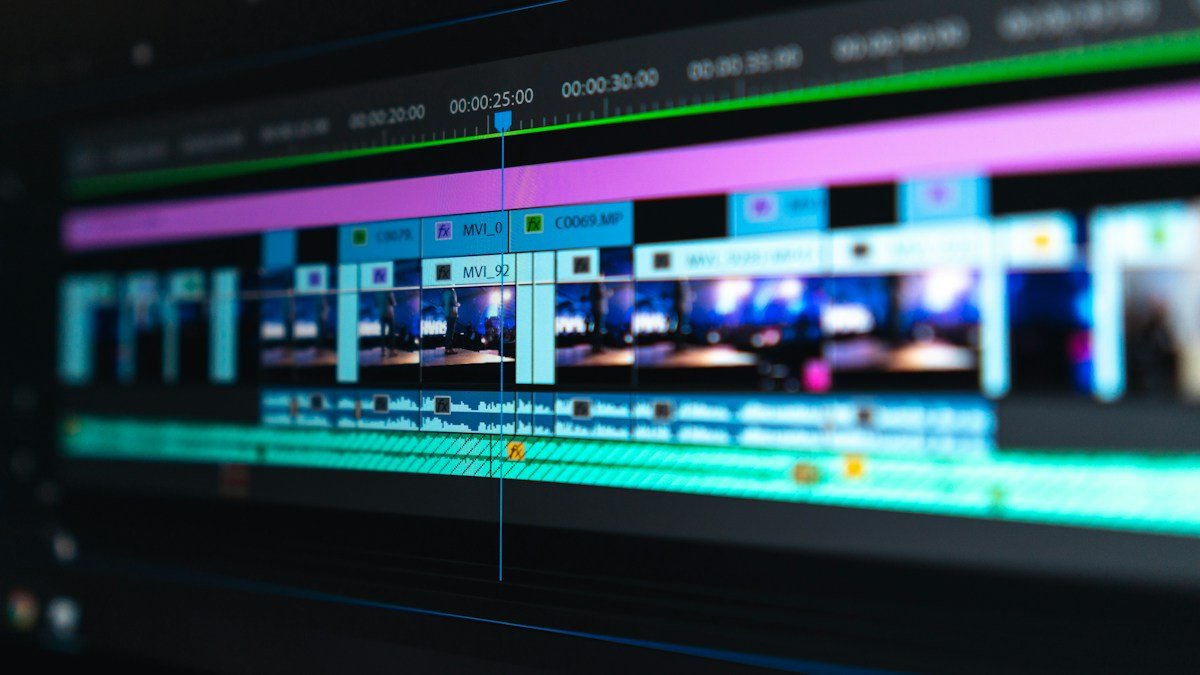
Achieving visually compelling results with an image cropper involves understanding classical aesthetic geometry. Two guiding principles dominate artistic composition: the Rule of Thirds and the Golden Ratio (Fibonacci Spiral).
The Rule of Thirds divides your canvas into a 3×3 grid with two equally spaced horizontal lines and two equally spaced vertical lines. Human visual perception naturally prioritizes the four intersection coordinates (known as power points). When framing a subject in an image cropper, positioning eyes, horizons, or key products along these intersections creates dynamic balance and visual energy compared to static center composition.
Conversely, the Golden Ratio ($phi approx 1.618$) organizes space through logarithmic spirals observed throughout classical architecture and nature. When cropping complex landscapes or narrative documentary scenes, guiding the eye along a logarithmic curve provides organic visual flow. By testing both framing philosophies inside your viewport, you unlock subtle nuances that elevate everyday photography into fine art.
6. Developer Implementation: Building an HTML5 Canvas Image Cropper in JavaScript
For software engineers seeking to embed client-side cropping directly into web applications, the HTML5 Canvas API delivers an elegant, framework-agnostic foundation. Below is a production-grade Vanilla JavaScript architecture illustrating how an in-browser utility extracts sub-regions:
// Client-side Canvas Image Cropping Implementation
function cropImageToCanvas(sourceImg, cropX, cropY, cropWidth, cropHeight) {
    const canvas = document.createElement('canvas');
    canvas.width = cropWidth;
    canvas.height = cropHeight;
    const ctx = canvas.getContext('2d', { alpha: true });

    // Enable high-quality bilinear image smoothing
    ctx.imageSmoothingEnabled = true;
    ctx.imageSmoothingQuality = 'high';

    // Blit designated source rect directly into origin coordinates
    ctx.drawImage(
        sourceImg,
        cropX, cropY, cropWidth, cropHeight,
        0, 0, cropWidth, cropHeight
    );

    return canvas;
}

// Export canvas buffer as a downloadable Blob
function exportCroppedFile(canvas, mimeType = 'image/png', quality = 0.92) {
    return new Promise(resolve => {
        canvas.toBlob(blob => resolve(blob), mimeType, quality);
    });
}
By hooking this straightforward routine to pointer events (pointerdown, pointermove, pointerup), developers deliver instantaneous feedback without relying on heavy third-party NPM bundles or external server dependencies.
7. Lossless PNG vs. High-Efficiency JPEG in Image Cropper Workflows
Once your crop coordinates are perfected within the image cropper, choosing the appropriate serialization format is vital for balancing visual fidelity against file transfer speed:
PNG (Portable Network Graphics – Lossless)
PNG employs the DEFLATE compression algorithm (combining LZ77 and Huffman coding) to preserve pixel values with zero degradation. It offers complete support for 8-bit alpha transparency, making it the premier format when using an image cropper on logos, graphic icons, diagrams, screenshots containing text, and interface components.
JPEG (Joint Photographic Experts Group – High-Efficiency)
JPEG leverages Discrete Cosine Transform (DCT) lossy compression to discard high-frequency chrominance nuances imperceptible to human vision. For complex photographic scenes, headshot portraits, and nature landscapes, exporting from your image cropper to JPEG reduces file sizes by 70% to 85% compared to PNG without visible loss in perceived quality.
8. Zero-Trust Architecture: Why an In-Browser Image Cropper Protects Your Privacy
In corporate enterprise environments, legal practices, medical administration, and personal photography, image security is paramount. Many cloud-based online cropping tools upload full-resolution graphics to remote web servers (via HTTP POST). Once on a remote server, image files are written to disk, processed by third-party background daemons, and cached in temporary folders or cloud storage buckets where they risk exposure to server vulnerabilities, data scrapers, or unintended retention.
The ulovepdfs image cropper is built from the ground up around a strict Zero-Trust Architecture:
- 100% Client-Side Execution: All bitmap reading, viewport panning, coordinate clamping, and canvas rendering take place inside your device’s browser memory. Zero bytes of your graphic data are ever uploaded to our servers.
- Total Offline Independence: You can load the tool page, disconnect your device from Wi-Fi or cellular data completely, and use the image cropper with full functionality and speed.
- Zero Persistent Fingerprints: Closing or refreshing the browser tab immediately frees allocated bitmap buffers through native garbage collection, leaving no temporary files on disk.
9. Web Performance & Core Web Vitals: Impact of Proper Cropping on LCP and CLS
Search engine optimization algorithms closely monitor Google Core Web Vitals metrics, specifically Largest Contentful Paint (LCP) and Cumulative Layout Shift (CLS). Unoptimized image delivery represents the single most common cause of failing LCP scores across modern websites.
When publishers embed uncropped 4K desktop photos into responsive blog templates, mobile devices are forced to download massive 8MB files over 4G networks just to display a 300px thumbnail. This introduces severe rendering bottlenecks. By employing an image cropper prior to asset deployment, creators eliminate redundant byte payloads.
Moreover, pre-cropping graphics to standardized aspect ratios allows front-end developers to specify explicit width and height attributes in HTML markup. This reserves accurate aspect ratio boxes in the browser layout engine before external files load, completely eradicating sudden visual content shifts and delivering pristine CLS scores.
10. Step-by-Step Operator Guide: How to Crop Images on ulovepdfs
Cropping photos with the ulovepdfs image cropper is straightforward, lightning-fast, and designed for maximum ease of use:
- Open the Tool: Navigate to the ulovepdfs Image Cropper in any modern desktop or mobile browser.
- Import Your Image: Drag and drop your image file (PNG, JPG, JPEG, or WebP) into the upload dropzone, or click the prompt to select a file from your local storage.
- Select Aspect Ratio: Choose your desired proportion preset from the dropdown menu (Freeform, 1:1 Square, 4:3 Standard, or 16:9 Widescreen).
- Adjust the Bounding Box: Drag the interactive corner handles or click and move the center crop box to position your ideal framing with pixel precision.
- Choose Output Format: Select PNG (Lossless) for maximum graphic fidelity or JPG (Standard) for reduced file size.
- Download Instantly: Click the Download Cropped Image button to save your cleanly cropped photo immediately to your local device.
11. Comparative Analysis: Online Image Cropper vs. Desktop Software vs. Cloud APIs
Review how our modern in-browser image cropper compares across key operational criteria against legacy desktop editors and cloud server services:
- Execution Environment: ulovepdfs image cropper runs 100% client-side in-browser; desktop editors require local software installations; cloud APIs execute on remote backend servers.
- Data Privacy & Security: Absolute zero-upload privacy with our client-side image cropper; desktop software keeps data local; cloud APIs expose files to remote network transmission and storage.
- Processing Latency: Near-instantaneous (< 15ms) GPU-accelerated rendering in the browser; desktop software is fast once loaded; cloud APIs suffer network upload and download delays.
- Software Licensing: 100% free with unlimited usage on ulovepdfs; professional desktop suites demand expensive monthly subscriptions; cloud APIs enforce strict metered billing quotas.
- Cross-Device Accessibility: Works instantly on Windows, macOS, Linux, iOS, and Android without installation.
12. Frequently Asked Questions (FAQ) About Using an Image Cropper
Does using this image cropper reduce the visual quality of my original photo?
No. An image cropper extracts the exact native pixels from within your selected bounding box. When you export to PNG (Lossless), the resulting image retains 100% mathematical fidelity with zero generational loss or compression artifacts.
What is the primary difference between cropping and resizing an image?
Cropping discards peripheral pixels outside a designated bounding box to alter composition and focal balance without changing the scale of individual pixels. Resizing alters the total pixel dimensions of the entire image matrix, scaling content up or down.
Is my private photographic data uploaded to any remote server?
Never. Our image cropper operates exclusively within your client web browser via the HTML5 Canvas API. Your files remain entirely on your local machine and are never transmitted across the network.
Can I crop images on mobile devices such as iPhones and Android smartphones?
Yes. The ulovepdfs image cropper interface features responsive touch event listeners, allowing operators to drag crop handles and position viewports with tactile precision on smartphones and tablets.
What image file formats does the image cropper support?
You can import any common web raster format, including PNG, JPG, JPEG, and WebP, and export your completed crop as either a lossless PNG or a high-efficiency JPEG.
Written by editor
Full-stack engineer and privacy advocate at ulovepdfs, focusing on browser-native cryptography and high-performance client-side tooling.