

1. What is a Countdown Timer and the Cognitive Science of Deadlines?
A precision Countdown Timer is an essential decremental temporal instrument utilized by software engineers, corporate educators, professional chefs, and academic exam proctors worldwide. In modern digital workflows, standardized testing centers, athletic training grounds, and commercial kitchens, monitoring the diminishing margin of available time is the primary psychological catalyst for focused execution. Whether timing the final 15 minutes of an MCAT examination, managing an agile engineering standup sprint, steeping delicate green tea leaves, or pacing an executive keynote presentation, deploying a dedicated Countdown Timer eliminates ambiguity and establishes a bounded temporal container.
Unlike an incremental stopwatch that tracks elapsed duration forward without limit, a backward-ticking Countdown Timer starts from a pre-allocated duration and moves systematically toward zero. This fundamental architectural distinction alters human behavioral psychology. An open-ended clock permits subconscious procrastination, encouraging perfectionistic scope creep and distractions. Conversely, a decremental timer imposes artificial temporal scarcity. Under the cognitive principles of deadline pacing, visual awareness of a shrinking time horizon suppresses task switching, focuses executive brain function, and dramatically increases working velocity.
In modern web engineering, building an enterprise-grade Countdown Timer involves sophisticated computer science challenges. Modern web browsers aggressively throttle background tabs to conserve laptop battery life, skewing naive timing intervals. Furthermore, playing external audio notification files often fails due to network latency, autoplay restrictions, or broken CDN endpoints. A resilient client-side timer solves these challenges through target-epoch wall-clock mathematics, the W3C Page Visibility API, and native hardware audio synthesis via the W3C Web Audio API.
Through our dedicated in-browser Online Countdown Timer Tool, professionals and students can configure high-resolution decremental timers with zero latency. Seamlessly integrated into the ulovepdfs quantitative productivity suite—alongside our Online Stopwatch, our Pomodoro Focus Timer, our Date Difference Calculator, and our Percentage Calculator—our timer engine operates 100% locally within your client browser memory sandbox without transmitting personal scheduling records across external servers.
2. The Sexagesimal Radix: Mathematical Anatomy of Time Decomposition (Base-60)
The computational engine of any modern Countdown Timer relies on base-60 sexagesimal arithmetic inherited from ancient Sumerian and Babylonian astronomy. In 3000 BCE, Mesopotamian scholars selected the number 60 as their fundamental numerical base because of its extraordinary divisibility: 60 is evenly divisible by 1, 2, 3, 4, 5, 6, 10, 12, 15, 20, and 30. This property made it mathematically superior for dividing circular celestial orbits and solar daylight into uniform fractional slices. Centuries later, Greek astronomer Eratosthenes and Hipparchus adapted this system into 60 minutes per hour and 60 seconds per minute, establishing the universal standard of civil chronometry.
While modern digital computers calculate temporal intervals as continuous scalar integers representing elapsed milliseconds since the Unix epoch (base-10), human operators require intuitive, hierarchical readouts partitioned into hours, minutes, seconds, and hundredths of a second. Bridging this gap requires deterministic modulo arithmetic inside the software runtime.

The Mathematical Modular Equations
Given an elapsed delta duration ($Delta t$) expressed in total milliseconds, a robust decremental chronometer decomposes the value into standardized digital display units using integer division and the modulo operator ($%$):
// Sexagesimal Modular Decomposition Algorithm
const totalSeconds = Math.floor(deltaMs / 1000);

const hours = Math.floor(totalSeconds / 3600);
const minutes = Math.floor((totalSeconds % 3600) / 60);
const seconds = totalSeconds % 60;
const milliseconds = Math.floor((deltaMs % 1000) / 10); // Centiseconds (0-99)

// Zero-Padded String Formatting
const formattedTime = [
    hours > 0 ? String(hours).padStart(2, '0') : null,
    String(minutes).padStart(2, '0'),
    String(seconds).padStart(2, '0')
].filter(Boolean).join(':');
By enforcing modular boundary clipping, this algorithm guarantees that the seconds field resets seamlessly from 00 back to 59 when crossing minute boundaries, eliminating visual display jitter. When the remaining duration reaches zero, the timer halts decrementation and triggers the notification state.
3. The W3C Web Audio API: Synthesizing Zero-Asset Chimes with Oscillators
A critical failure mode in web-based timing software is the audio alarm mechanism. Many legacy tools rely on external audio files (such as alarm.mp3 or chime.wav) embedded via the standard HTML5 <audio> element. If the user is on an unstable Wi-Fi connection, behind a corporate firewall, or browsing offline, the media asset fails to load, leaving the user unaware that their timer has expired.
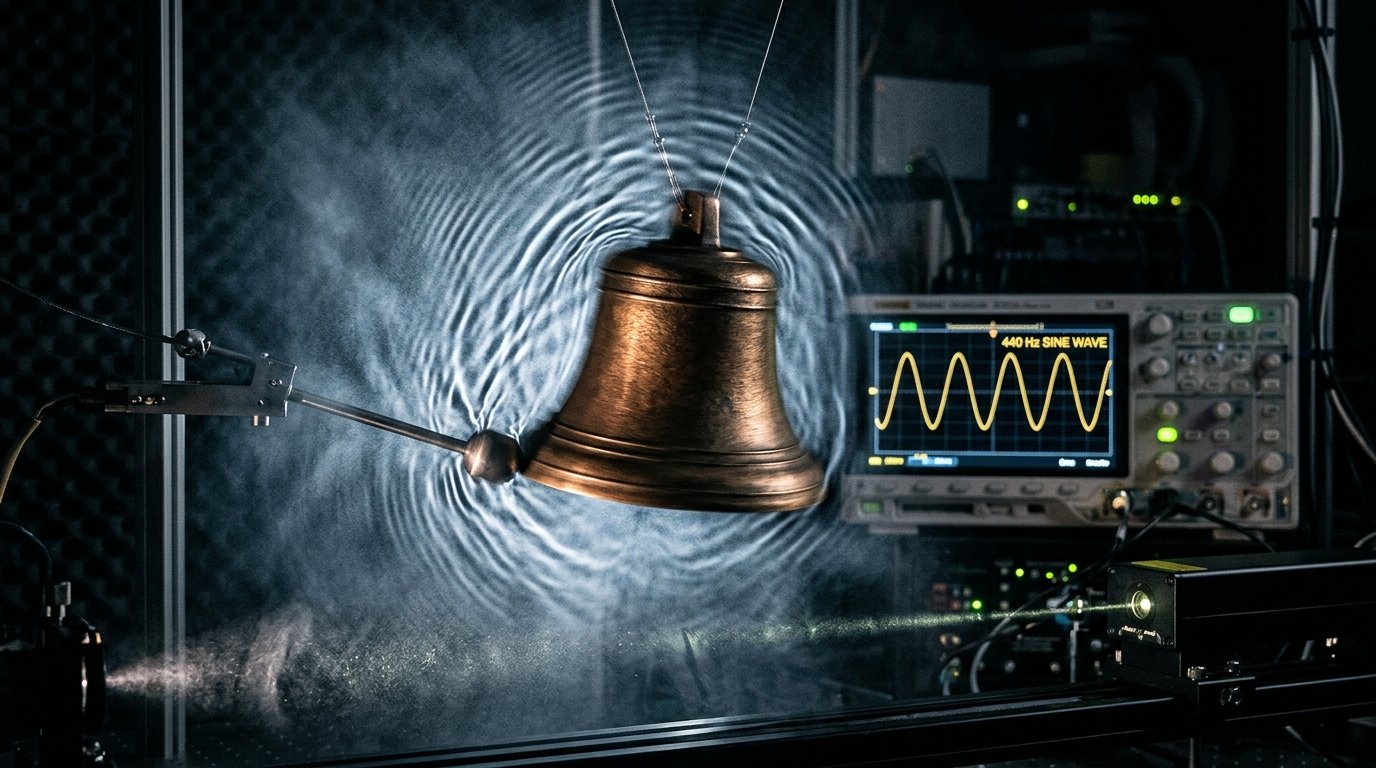
Our online Countdown Timer completely bypasses external media dependencies by synthesizing acoustic alerts directly through the browser’s native W3C Web Audio API pipeline. Using hardware oscillators, the application generates mathematically pure sound waves in client memory:
// Native Hardware Audio Synthesizer
function playSynthesizedChime() {
    const audioCtx = new (window.AudioContext || window.webkitAudioContext)();
    const osc = audioCtx.createOscillator();
    const gain = audioCtx.createGain();

    osc.type = 'sine'; // Pure harmonic sine wave
    osc.frequency.setValueAtTime(880, audioCtx.currentTime); // Musical pitch A5
    osc.frequency.exponentialRampToValueAtTime(1046.5, audioCtx.currentTime + 0.3); // Ramp to C6

    gain.gain.setValueAtTime(0.5, audioCtx.currentTime);
    gain.gain.exponentialRampToValueAtTime(0.001, audioCtx.currentTime + 1.2); // Smooth decay

    osc.connect(gain);
    gain.connect(audioCtx.destination);

    osc.start();
    osc.stop(audioCtx.currentTime + 1.2);
}
This synthesizer creates an immediate, professional acoustic chime requiring exactly zero kilobytes of external network bandwidth. Because the audio is synthesized directly on the device soundcard, alarms fire with zero latency, even in airplane mode or across unstable cellular connections.
4. Battery Throttling, Background Workers, and the Page Visibility API
One of the most persistent bugs in web development is timer drift caused by operating system and browser power management. If a user switches to another browser tab or minimizes the window, modern browsers (Chrome, Safari, Edge, Firefox) aggressively clamp JavaScript execution timers (setInterval and setTimeout) to conserve CPU cycles and battery life.

The Flawed Naive Counter Model
In naive timer implementations, developers decrement a variable by 1 on each execution of setInterval(fn, 1000). However, when the browser tab enters the background, Chrome throttles timers to execute only once every 1,000ms or even once per minute. If a 10-minute timer runs in a throttled background tab, it may take 12 or 15 real-world minutes to complete—a fatal flaw during timed academic examinations.
The Target Epoch Delta Solution
Our Countdown Timer solves timer throttling through wall-clock epoch delta mathematics. Instead of counting elapsed ticks, the application calculates an immutable future target timestamp when started:
const targetTimestamp = Date.now() + durationMilliseconds;

function updateTimer() {
    const remainingMs = Math.max(0, targetTimestamp - Date.now());
    renderDisplay(remainingMs);
    if (remainingMs === 0) triggerAlarm();
}
Furthermore, by attaching an event listener to the document.visibilitychange event via the Page Visibility API, the application recalculates the exact remaining time the instant the user returns to the tab. Even if the laptop enters sleep mode or the user minimizes the window for hours, the timer synchronizes instantly against hardware system time with zero drift.
5. Productivity Psychology: Parkinson’s Law, Timeboxing, and Urgency Loops
The utility of a Countdown Timer extends far beyond basic mechanical chronometry; it serves as a powerful cognitive tool rooted in behavioral psychology. By introducing structured temporal boundaries, timers help individuals and teams overcome deep-seated productivity barriers.
1. Overcoming Parkinson’s Law
Articulated by Cyril Northcote Parkinson in 1955, Parkinson’s Law states that “work expands so as to fill the time available for its completion.” If a professional allocates an open-ended morning to draft an executive memo, the task inevitably consumes the entire four hours. By configuring a 45-minute sprint on a decremental timer, the operator creates artificial temporal scarcity. This artificial constraint eliminates non-essential formatting tweaks and forces immediate execution.
2. The Timeboxing Protocol
Timeboxing is an evidence-based management strategy endorsed by elite software engineering teams and agile scrum masters. Instead of working until a task is subjectively “finished,” an operator commits to working exclusively on that objective for a fixed, pre-determined window (e.g., 25 or 50 minutes). Timeboxing eliminates cognitive fatigue by transforming intimidating multi-day projects into manageable, bite-sized sprints.
3. Visual Urgency and Dopaminergic Focus
Watching a backward-ticking clock activates the brain’s reticular activating system, releasing mild dopamine surges that sharpen sensory focus. Research in behavioral ergonomics demonstrates that a prominent visual timer increases task completion velocity by up to 28% compared to un-timed environments, particularly during standardized test preparation and coding sprints.
6. Zero-Trust Temporal Privacy: Why In-Browser Computing Protects Task Data
In modern digital environments, employee tracking tools and intrusive analytics platforms increasingly monitor user schedules, meeting lengths, and task durations. Many cloud-based timer applications transmit event titles, work interval logs, and session durations to remote tracking databases, where they can be analyzed for corporate profiling.
The ulovepdfs in-browser Countdown Timer operates under a strict zero-trust client-side architectural paradigm. All temporal logic executes entirely within your browser’s isolated JavaScript memory sandbox. No task labels, countdown durations, meeting names, or audio events are ever transmitted across external networks, saved to remote databases, or logged on servers.
When you close your browser tab or reset the timer, all session data is instantly purged from device RAM. Corporate executives, academic proctors, and privacy-conscious professionals can manage sensitive timing workflows with total confidence that their data remains completely sovereign.
7. 9 Best Ways to Use, Configure, and Master an Online Countdown Timer in 2026
Maximizing the benefits of a digital timer requires sound methodology and disciplined habits. Here are the 9 best ways to use, configure, and master an online decremental timer in 2026:
1. Deploy Timeboxed Sprints for High-Cognitive Deep Work
Structure demanding analytical tasks into 45-minute or 50-minute blocks using our online timer workstation. Turn off all smartphone notifications, close unrelated browser tabs, and focus single-mindedly on your objective until the synthesizer chime sounds.
2. Calibrate Accurate Exam Pacing and Question Time Budgets
Standardized tests (such as the SAT, GRE, MCAT, or bar examinations) enforce strict per-question time limits. Divide your exam section duration by total questions to find your per-question budget (typically 90 to 120 seconds). Running our timer during practice runs builds instinctive exam pacing.
3. Enforce Strict Meeting Agenda Discipline in Agile Standups
Keep daily engineering standups to their intended 15-minute limit by projecting a fullscreen timer onto the conference room display. Visual time awareness encourages concise team updates and prevents meeting derailment.
4. Prevent Culinary Over-Extraction and Oven Burning
Culinary accuracy demands precise timing. From steeping high-grade artisanal tea (3 minutes) to proofing sourdough bread (45 minutes), run our client-side timer on your kitchen tablet. The synthesizer audio chime reliably alerts you even when your hands are busy.
5. Utilize Dynamic Document Title Reflection Across Tabs
Our tool updates the browser tab title in real time (e.g., (14:52) Countdown Timer). Keep the timer running in an adjacent tab while working in your primary application, monitoring remaining time without switching windows.
6. Prevent Screen Fatigue with the 20-20-20 Rule
Optometrists recommend the 20-20-20 rule to prevent digital eye strain: every 20 minutes, look at an object 20 feet away for 20 seconds. Configure a 20-minute recurring interval on our timer to safeguard your vision during long workdays.
7. Combine Timers with Complementary Productivity Utilities
Integrate your timing sessions with our broader suite. Track essay lengths with our Word and Character Counter, or measure long-term project timelines with our Date Difference Calculator.
8. Leverage Fullscreen Mode for Keynotes and Public Presentations
Click the fullscreen icon to transform your monitor into a distraction-free digital stage clock. Keep speaker pacing on track during conference presentations and webinars without checking your phone.
9. Rely on Zero-Asset In-Browser Privacy Tools
Protect your workflow privacy by avoiding timers that load bloated third-party trackers. Rely on the lightweight, zero-tracking Countdown Timer at ulovepdfs for instant, private timing.
8. Comprehensive Matrix: Client-Side Countdown Timer vs. Smartphone Alarms vs. Kitchen Timers
Professionals frequently choose between using an in-browser tool, setting a smartphone alarm, or buying a physical kitchen timer. The comparative matrix below outlines the practical advantages and trade-offs of each approach:
| Evaluation Criteria | ulovepdfs In-Browser Countdown Timer | Smartphone Native Clock Apps | Physical Hardware Desk Timers |
|---|---|---|---|
| Distraction Risk | Zero (Dedicated workstation tab) | High (Social media & notifications) | Zero (Single-purpose device) |
| Fullscreen Presentation Mode | Supported (Clean stage clock) | None (Tiny mobile screen) | None (Small LCD display) |
| Audio Alert Synthesis | Instant (W3C Web Audio API) | Standard device ringtones | Shrill mechanical buzzer |
| Background Tab Resilience | 100% (Target epoch delta math) | OS background service | Hardware battery powered |
| Cost & Hardware Requirements | 100% Free Forever (No device needed) | Requires expensive smartphone | Requires purchasing extra hardware |
While smartphones and kitchen timers serve everyday needs, our in-browser Countdown Timer delivers the ultimate distraction-free, zero-cost workstation for professional focus and productivity.
9. Step-by-Step Operator Guide: Configuring the ulovepdfs Countdown Timer Workstation
Configuring our in-browser workstation is engineered to be fast, accurate, and completely intuitive. Follow this operator guide to set up your timer in seconds:
- Access the Workstation: Navigate to the ulovepdfs Countdown Timer Tool in any desktop, tablet, or smartphone browser.
- Select an Instant Preset or Custom Duration: Click any quick-start preset button (5 min, 15 min, 25 min Pomodoro, 45 min Exam, 60 min) or manually input custom hours, minutes, and seconds.
- Click “Start Timer”: Press the prominent Start button to begin decrementation. The display updates with millisecond precision while updating the browser tab title.
- Toggle Audio Notifications: Enable or disable the synthesizer chime based on your environment (e.g., keep sound active for cooking or silent for quiet libraries).
- Activate Fullscreen Presentation Mode: Click the fullscreen icon to expand the high-contrast digital clock across your entire monitor for classroom or stage presentation use.
- Pause or Reset Anytime: Pause the countdown at any moment to handle unexpected interruptions, or click Reset to restore your initial interval instantly.
10. Practical Real-World Workflows: Culinary Baking, Exam Proctoring, Presentations, and Sprints
A dependable Countdown Timer adapts effortlessly across diverse professional and personal use cases:
1. Academic Examination Proctoring
University proctors and high school teachers manage standardized testing rooms by displaying a fullscreen timer on the classroom projector. Showing a clear, large digital countdown prevents students from repeatedly asking how much time remains, ensuring a calm, focused testing environment.
2. Culinary Baking and Precision Cooking
Precision baking relies on exact oven timing. Whether timing a 12-minute batch of macarons or a 45-minute sourdough bake, our client-side timer alerts you with a clear audio chime right when your timer expires, preventing over-baking mistakes.
3. Keynote Presentations and Conference Speeches
Conference speakers and webinar hosts use our fullscreen display as a digital stage clock. Placing a tablet running the timer on the speaker podium ensures keynotes wrap up precisely within allotted speaking windows.
4. Agile Sprints and Engineering Standups
Software development teams keep daily scrums crisp by placing a 15-minute timer on the team screen. Visual countdowns prevent discussions from dragging, keeping team standups energizing and productive.
11. Complementary Quantitative Utilities in the ulovepdfs Digital Productivity Ecosystem
Temporal pacing is part of a broader suite of quantitative productivity tools. The ulovepdfs platform provides an interconnected ecosystem of privacy-preserving, high-speed digital utilities:
- Online Stopwatch: Measure elapsed lap times, sprint splits, and execution durations with millisecond precision.
- Pomodoro Focus Timer: Structure deep work sessions with automated 25-minute work sprints and 5-minute cognitive rest intervals.
- Date Difference Calculator: Calculate calendar day intervals, business days, and project deadlines across multi-month timelines. Review our Date Difference Calculator Guide.
- Percentage Calculator: Track completed milestone percentages, target velocity ratios, and growth rates. Consult our Percentage Calculator Masterclass.
All utilities across our ecosystem share the same zero-tracking, client-side architectural foundation—ensuring that your study schedules, work sessions, and personal data remain strictly confidential.
12. Frequently Asked Questions (FAQ) About Timers, Audio Alerts, and Browser Throttling
Will the Countdown Timer continue running if I switch browser tabs?
Yes, perfectly. Our Countdown Timer calculates remaining time against an immutable wall-clock target epoch timestamp rather than counting interval ticks. When you switch tabs or return to the window, the Page Visibility API resynchronizes the display instantly with zero drift.
How does the audio alarm work without loading external audio files?
Our timer uses the native W3C Web Audio API to synthesize acoustic sound waves directly through your device sound card. By generating pure sine waves via an OscillatorNode and shaping volume with a GainNode, the alarm plays instantly with zero network delay and zero external audio assets.
What is the difference between a countdown timer and a stopwatch?
A stopwatch counts forward from zero to measure elapsed time, whereas a Countdown Timer counts backward from a specified duration toward zero. Backward-counting timers are ideal for deadlines, exam pacing, cooking, and timeboxing because they enforce a strict time limit.
Can I see the remaining time in the browser tab title?
Yes. As the timer runs, the application dynamically updates the document title (e.g., (14:59) Countdown Timer), allowing you to keep an eye on your remaining time while working across other applications or browser tabs.
Does the online Countdown Timer work on mobile phones and tablets?
Yes. The ulovepdfs timer is built with a responsive layout that adapts seamlessly to desktop monitors, iPads, tablets, and smartphones. It also supports fullscreen presentation mode for classroom and podium use.
Are my timing sessions private when using ulovepdfs?
Yes, 100% private. Our Countdown Timer executes entirely within client-side JavaScript inside your web browser. No meeting titles, durations, or usage data are ever sent across external networks, stored in databases, or logged on remote servers.
Written by editor
Full-stack engineer and privacy advocate at ulovepdfs, focusing on browser-native cryptography and high-performance client-side tooling.