

In contemporary front-end web development, user experience (UI/UX) design, graphic illustration, and digital branding, color is the primary visual language of human-computer interaction. However, different software environments, rendering engines, and physical mediums communicate color through conflicting mathematical models: web developers write six-character Hexadecimal strings (#2563eb), graphics engines process Red-Green-Blue (RGB) byte triplets (37, 99, 235), design system architects manipulate cylindrical Hue-Saturation-Lightness (HSL) coordinates (221°, 83%, 53%), and commercial print packaging demands Cyan-Magenta-Yellow-Key (CMYK) percentages. To translate seamlessly between these varied coordinate systems, designers and software engineers rely on a high-precision color code converter. Utilizing a dependable color code converter is an essential foundation of digital product engineering in 2026.
Without an authoritative color code converter capable of calculating bidirectional color space transformations, alpha transparency channels, and gamut constraints, translating designs from Figma to CSS often results in color shifts, broken contrast ratios, or inaccessible UI components. To convert any color across HEX, RGB, HSL, and CMYK instantly with real-time visual swatch feedback, use our free, client-side ulovepdfs Color Code Converter. If your creative workflow also involves sampling colors from live images or optimizing production stylesheets, explore our companion ulovepdfs Color Picker and our comprehensive CSS Minifier Guide on the ulovepdfs Blog.
1. What is a Color Code Converter and Why Does It Matter in 2026?
A color code converter is a specialized mathematical utility that translates color representations between different coordinate color models while preserving exact perceptual chroma, luminosity, and hue, aligned with the W3C CSS Color Module Level 4 Specification. Rather than forcing designers to guess approximations or manually recalculate base-16 arithmetic, a modern color code converter executes matrix transformations instantaneously in real time.
Why are there so many competing color formats? Each representation was created to solve specific technical constraints. The standard Hexadecimal format (e.g., #10b981) was established during the dawn of HTML to provide compact ASCII representation for web styling. The RGB model reflects the physical reality of hardware displays, where cathode ray tubes and modern OLED panels illuminate red, green, and blue subpixels with varying voltages. Meanwhile, HSL was developed by computer graphics researchers to align with human psychological perception, separating base color (Hue) from vibrancy (Saturation) and brightness (Lightness). When building enterprise design systems in 2026, an automated color code converter allows engineers to translate raw hex values into dynamic, accessible HSL scales.
Furthermore, modern digital devices—ranging from Apple Retina displays to high-refresh OLED gaming monitors—support wide-gamut color spaces like Display P3 and Rec. 2020. An advanced color code converter enables front-end engineers to verify whether a brand color falls safely within the universal sRGB spectrum or takes advantage of rich wide-gamut monitors without clipping artifacts.

2. The Physics and Mathematics of Digital Color Models (HEX, RGB, HSL, CMYK)
To understand how a color code converter operates under the hood, one must inspect the mathematical equations governing digital color spaces:
1. RGB Model (Additive Light Space)
Defines colors as a combination of three 8-bit integer channels: Red (0-255), Green (0-255), and Blue (0-255). Combining 256 x 256 x 256 values yields exactly 16,777,216 distinct color permutations (Truecolor 24-bit). When all channels are 0, the result is pure black (absence of light); when all channels are 255, the result is pure white (maximum light intensity).
2. HEX Model (Hexadecimal Base-16 Radix)
Simply the base-16 representation of the RGB byte array. Two hexadecimal characters (00 to FF) represent each color channel in the format #RRGGBB. A color code converter parses each pair of characters using radix-16 parsing: parseInt(hexPair, 16).
3. HSL Model (Cylindrical Coordinate Geometry)
Translates RGB into a cylinder where Hue (H) is an angle from 0° to 360° on the color wheel (0° Red, 120° Green, 240° Blue), Saturation (S) is a percentage (0% grayscale to 100% full saturation), and Lightness (L) is a percentage (0% pitch black to 100% blinding white). A color code converter calculates HSL by finding the maximum and minimum RGB values and normalizing chromatic difference.
4. CMYK Model (Subtractive Four-Color Print Space)
Used exclusively in commercial printing presses. Subtractive physical inks absorb light reflected from paper: Cyan (C), Magenta (M), Yellow (Y), and Key/Black (K), each expressed as a percentage from 0% to 100%. An intelligent color code converter calculates the black key component as K = 1 - max(R', G', B') to determine pigment laydown.
3. The Hexadecimal System: Translating 8-Bit Channels to #RRGGBB Notation
Hexadecimal representation is ubiquitous in HTML, CSS, SVG, and design tokens. A color code converter translates each 8-bit channel between decimal (0-255) and base-16 (00-FF):
Decimal 128 → 0x80 (Half Light)
Decimal 0 → 0x00 (No Light)
For example, consider the brand color #2563EB. Passing this code into a color code converter yields:
- Red Channel:
0x25→(2 * 16) + 5 = 37 - Green Channel:
0x63→(6 * 16) + 3 = 99 - Blue Channel:
0xEB→(14 * 16) + 11 = 235 - Resulting RGB String:
rgb(37, 99, 235)
Furthermore, modern CSS supports 3-digit shorthand (#RGB → expands to #RRGGBB by doubling each digit, e.g. #09f → #0099ff) and 8-digit hexadecimal notation (#RRGGBBAA) containing alpha transparency. A resilient color code converter handles both 3-digit and 8-digit hex variations automatically.
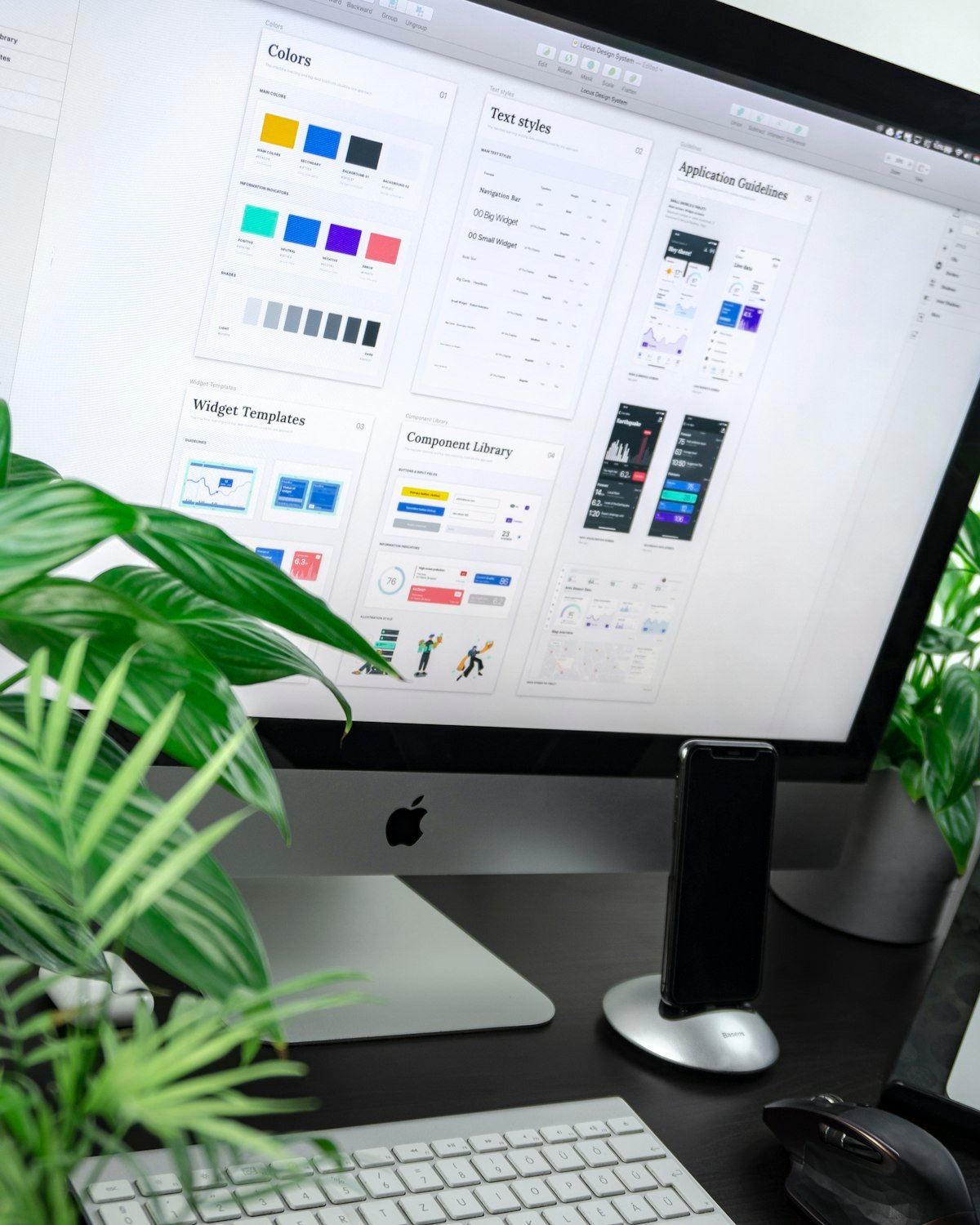
4. Why HSL (Hue, Saturation, Lightness) is the Superior Choice for UI Systems
While HEX and RGB are outstanding for machine storage, they are notoriously difficult for human brains to manipulate. If you want to create a hover state that is 10% darker than #2563eb, which hex digits should you alter? Adjusting all three RGB channels simultaneously while preserving the exact perceived hue is virtually impossible without mental gymnastics.
This is where converting your palette with a color code converter into HSL transforms design system engineering:
- Effortless Hover & Active States: In HSL,
#2563ebishsl(221°, 83%, 53%). To create a hover state, simply reduce Lightness:hsl(221°, 83%, 45%). The base color and saturation remain perfectly locked. - Consistent Dark Mode Palettes: Inverting a theme for dark mode is straightforward when using HSL: adjust the Lightness curve across background surfaces and text elements while maintaining consistent brand hue angles.
- Harmonious Color Palettes: To find complementary colors (opposite on the color wheel), add 180° to Hue. To generate triadic palettes, add 120° and 240°. A color code converter allows developers to programmatically generate balanced color schemes with mathematical simplicity.
5. 9 Best Ways to Convert HEX, RGB, and HSL in 2026
Discover the 9 best ways to utilize an online, automated, and programmatic color code converter across modern UI development, web styling, digital illustration, and print preparation in 2026:
Way 1: Instant Client-Side Conversion for Fast Prototyping
When building landing pages or adjusting UI elements in developer tools, copying and pasting raw hex strings into our browser-based color code converter generates instantaneous conversions into RGB, HSL, and CMYK formats. The live interactive swatch updates in real time, allowing you to preview your palette instantly.
Way 2: Converting Hexadecimal Codes to RGB for Canvas and WebGL Shaders
HTML5 Canvas 2D contexts and WebGL 3D fragment shaders require normalized float vectors (0.0 to 1.0) or integer RGB byte channels rather than hex strings. Using a color code converter enables creative coders to unpack hexadecimal strings into numeric component arrays ready for graphics GPU rendering buffers.
Way 3: Generating Dynamic Color Palettes and Tints with HSL
Design system tools like Tailwind CSS and CSS Custom Properties utilize scale steps (50, 100, 200 … 900). Passing your primary brand hex into a color code converter to extract Hue and Saturation allows you to programmatically increment Lightness from 95% down to 10%, generating a full 10-step monochromatic design palette effortlessly.
Way 4: Handling 8-Digit Hex Codes and Alpha Channel Transparency
Modern CSS supports transparent hex codes: #2563eb80 represents a 50% opacity blue. An advanced color code converter translates 8-character hex codes directly into rgba(37, 99, 235, 0.5) and modern space-separated syntax rgb(37 99 235 / 50%) with complete mathematical accuracy.
Way 5: Bridging Digital Screens to Physical Print: RGB to CMYK
When transferring digital web branding to business cards, marketing brochures, or exhibition banners, sending RGB hex codes to offset printing presses causes washed-out prints. Utilizing a color code converter calculates accurate CMYK pigment percentages, helping graphic designers match ink laydown specifications before press runs.
Way 6: Modern CSS Color 4: Embracing Display P3 and OKLCH Spaces
The W3C CSS Color 4 standard introduced perceptually uniform color spaces: OKLCH and Display P3. A forward-looking color code converter allows engineers to compare legacy sRGB hex values against wide-gamut OKLCH coordinates, ensuring that buttons and banners pop with intense, vivid vibrance on modern mobile OLED displays.
Way 7: Automating Color Conversions in JavaScript Design Systems
Front-end developers building enterprise theme managers (in React, Vue, or Svelte) often need to accept user-entered hex codes and dynamically generate contrasting text colors. Integrating an automated color code converter function within your codebase ensures seamless, real-time styling updates without runtime library overhead.
Way 8: Programmatic Color Math in Python for Data Science and PIL
Data scientists creating data visualizations in Matplotlib, Seaborn, or Plotly frequently transform color maps. Utilizing Python color conversion routines acts as a programmatic color code converter, allowing machine learning practitioners to analyze image color histograms and dominant palette clusters.
Way 9: Auditing WCAG 2.2 Color Contrast and Accessibility
Web accessibility standards (WCAG 2.2 AA and AAA) mandate strict contrast ratios between background and foreground text (minimum 4.5:1 for normal text). Passing your color palette into a color code converter calculates relative luminance in accordance with ISO standards, preventing accessibility compliance penalties.
6. Additive vs. Subtractive Color Models: Digital Light vs. Physical Pigments
One of the most foundational principles in chromatic physics is the division between additive and subtractive color systems. A professional color code converter serves as the computational bridge connecting these two physical domains:
Additive Color (RGB – Digital Displays)
Operates through emitted optical light. Televisions, computer monitors, and smartphone screens emit red, green, and blue photons. When you mix red and green light, you produce yellow; when you combine all three wavelengths at full power, you produce white. This is the native domain of HEX and RGB codes.
Subtractive Color (CMYK – Physical Inks)
Operates through reflected ambient light. Physical inks printed on paper absorb (subtract) specific light wavelengths while reflecting others to the human retina. Cyan absorbs red light, Magenta absorbs green light, and Yellow absorbs blue light. Because physical inks contain impurities, mixing Cyan, Magenta, and Yellow produces a muddy dark brown; hence, pure black ink (Key – K) is added for crisp shadows and text.
Because RGB displays can render intensely saturated neon greens and electrical blues that physical CMYK inks cannot physically reproduce, using a color code converter helps graphic artists identify out-of-gamut warnings before committing to expensive physical printing runs.
7. Alpha Channel Semantics: Comparing Hex (#RRGGBBAA) to Modern CSS Color Syntax
Modern UI design relies heavily on subtle semi-transparent overlays, drop shadows, and glassmorphic backdrops. In modern CSS, alpha transparency is expressed across multiple formats:
- Traditional RGBA:
rgba(37, 99, 235, 0.75)(alpha expressed as a decimal float from 0.0 to 1.0). - 8-Digit Hexadecimal:
#2563ebBF(the final two charactersBFrepresent 75% opacity:191 / 255 ≈ 0.75). - Modern CSS Color 4 Syntax:
rgb(37 99 235 / 75%)(space-separated channels with forward-slash opacity). - Modern HSLA Syntax:
hsl(221deg 83% 53% / 0.75).
An intelligent color code converter automatically normalizes alpha values across all these variations, calculating exact byte equivalents whether expressed as a percentage, a float, or a base-16 hex pair.
8. Developer Implementation: Converting Colors in JavaScript, Python, and CSS
To implement an automated color code converter routine in your applications, use the battle-tested production routines below:
Modern JavaScript & TypeScript (HEX to RGB & HSL)
// Comprehensive In-Browser Color Code Converter
function hexToRgbAndHsl(hex) {
    let cleanHex = hex.replace('#', '');
    if (cleanHex.length === 3) {
        cleanHex = cleanHex.split('').map(c => c + c).join('');
    }
    const r = parseInt(cleanHex.substring(0, 2), 16);
    const g = parseInt(cleanHex.substring(2, 4), 16);
    const b = parseInt(cleanHex.substring(4, 6), 16);

    // Calculate HSL
    const rNorm = r / 255, gNorm = g / 255, bNorm = b / 255;
    const max = Math.max(rNorm, gNorm, bNorm);
    const min = Math.min(rNorm, gNorm, bNorm);
    let h, s, l = (max + min) / 2;

    if (max === min) {
        h = s = 0; // Grayscale achromatic
    } else {
        const d = max - min;
        s = l > 0.5 ? d / (2 - max - min) : d / (max + min);
        switch (max) {
            case rNorm: h = (gNorm - bNorm) / d + (gNorm < bNorm ? 6 : 0); break;
            case gNorm: h = (bNorm - rNorm) / d + 2; break;
            case bNorm: h = (rNorm - gNorm) / d + 4; break;
        }
        h = Math.round(h * 60);
    }

    return {
        rgb: `rgb(${r}, ${g}, ${b})`,
        hsl: `hsl(${h}, ${Math.round(s * 100)}%, ${Math.round(l * 100)}%)`,
        channels: { r, g, b, h, s: Math.round(s * 100), l: Math.round(l * 100) }
    };
}

// Example Execution
console.log(hexToRgbAndHsl('#2563eb'));
// Output: { rgb: 'rgb(37, 99, 235)', hsl: 'hsl(221, 83%, 53%)' }
Python 3 (Standard Library colorsys)
import colorsys

def hex_to_hsl(hex_str: str) -> str:
    clean = hex_str.lstrip('#')
    r, g, b = [int(clean[i:i+2], 16) / 255.0 for i in (0, 2, 4)]
    h, l, s = colorsys.rgb_to_hls(r, g, b)
    return f"hsl({round(h * 360)}, {round(s * 100)}%, {round(l * 100)}%)"

# Example Execution
print(hex_to_hsl("#2563eb"))
# Output: hsl(221, 83%, 53%)
9. Zero-Trust Architecture: Why an In-Browser Color Code Converter Protects Client Design Systems
When collaborating on pre-release software, enterprise rebranding initiatives, or proprietary game design assets, color palettes represent intellectual property. Many third-party online design tools send color inputs over HTTP requests to remote backend servers, logging hex queries and user IP addresses to access logs.
The ulovepdfs color code converter is engineered upon a strict Zero-Trust Architecture:
- 100% In-Browser Computation: Every matrix calculation, hex decode, HSL trigonometric transform, and CMYK estimate executes locally inside your web browser’s RAM. Zero bytes of your brand palette or design queries are ever transmitted over the network.
- Full Offline Usability: Once loaded in your browser, you can disconnect your computer from Wi-Fi entirely and continue converting colors with instant responsiveness.
- Zero Persistent Storage: Closing the tab or reloading immediately purges all input buffers through browser garbage collection, ensuring no digital trail remains.
10. Modern Display P3 and OKLCH: The Evolution of Color Beyond sRGB
For more than twenty-five years, the web was trapped within the limited sRGB color gamut established in 1996. However, modern smartphone screens and laptops can display up to 50% more vivid colors using the DCI-P3 gamut.
The newest generation of front-end styling leverages the oklch() functional notation:
Unlike HSL, where pure yellow has vastly higher perceived brightness than pure blue at the same 50% lightness value, OKLCH is perceptually uniform. A color code converter capable of evaluating modern CSS Color 4 spaces ensures that front-end engineers can step into the future of ultra-vivid web design without unexpected accessibility bugs.
11. Step-by-Step Operator Guide: Converting Color Formats on ulovepdfs
Using the ulovepdfs color code converter is intuitive and instant:
- Open the Tool: Navigate to the ulovepdfs Color Code Converter in any web browser.
- Enter Any Color Code: Type or paste any color code into the Input field (e.g., Hex
#2563eb, RGB37, 99, 235, or HSL221, 83%, 53%). - Instant Real-Time Conversion: The converter automatically parses the input and populates all equivalent formats simultaneously with a live visual swatch preview.
- Inspect Color Values: Review exact values for HEX, RGB, HSL, HSV, and CMYK, including CSS-ready syntax strings.
- One-Click Copy: Click the Copy icon next to any desired format to copy the code directly to your clipboard for instant pasting into your CSS, Figma, or design tokens.
12. Frequently Asked Questions (FAQ) About Using a Color Code Converter
What is the primary difference between RGB and HSL?
RGB defines colors based on hardware subpixel intensity (Red, Green, Blue from 0-255). HSL describes colors based on human perception: Hue (the color wheel angle), Saturation (chromatic richness), and Lightness (brightness). A color code converter bridges these two complementary models.
Can an RGB hex color be converted to physical CMYK print inks with 100% precision?
While mathematical conversion is exact, digital RGB monitors emit light and can display ultra-saturated colors that physical subtractive CMYK inks cannot replicate. A color code converter calculates the closest standardized ink laydown percentage.
Are my private brand color palettes transmitted to your servers?
Never. The ulovepdfs color code converter runs 100% client-side in your local browser memory. None of your input colors, design tokens, or queries are ever sent to remote servers or logged.
How does an 8-digit hex code represent transparency?
In 8-digit hex notation (#RRGGBBAA), the final two hexadecimal digits represent the alpha transparency channel (00 = 0% opacity / completely invisible, FF = 100% opacity / completely solid). A color code converter maps this to standard RGBA decimal opacity.
Why do modern CSS standards recommend OKLCH over HSL?
HSL is not perceptually uniform—yellow appears much brighter than blue at the exact same 50% lightness setting. OKLCH aligns mathematical lightness with human retinal perception, making it easier to build accessible, predictable contrast palettes.
Written by editor
Full-stack engineer and privacy advocate at ulovepdfs, focusing on browser-native cryptography and high-performance client-side tooling.